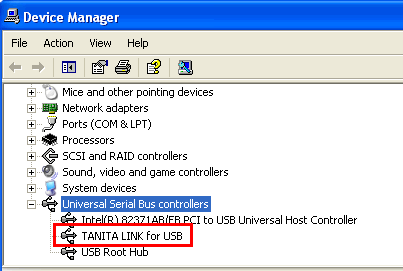
(1) Confirmation of registration conditions
1.
Connect the Relay-key to your PC.
Please close the login page. The special application can be exited if you want.
2.
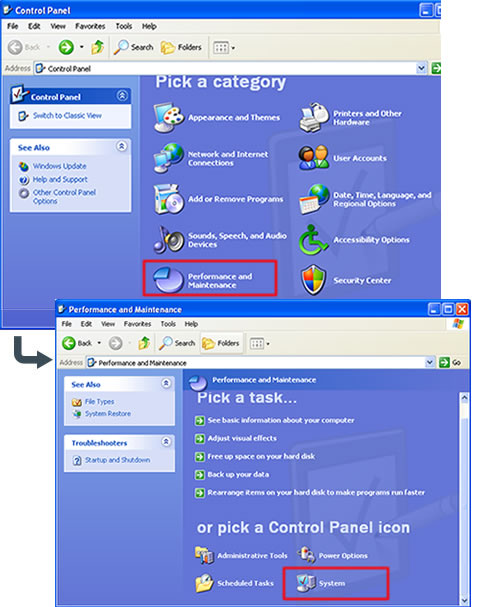
Select [Start] → [Control Panel]
Note: Select [Start] → [Setting] → [Control Panel] if you are using Windows2000.
The Control Panel window appears.
Select [Performance and Maintenance], and click [System] as appeared in the lower part of the window. The property window appears.
3.
Select [Hardware] tab in the property window, and click [Device Manager].
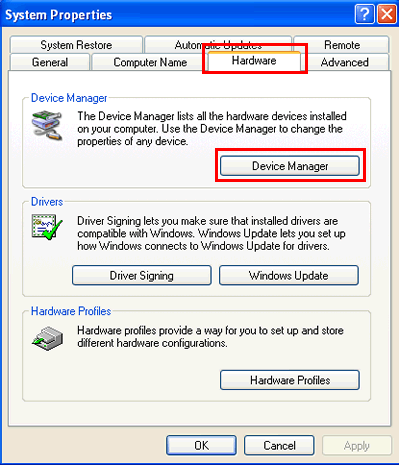
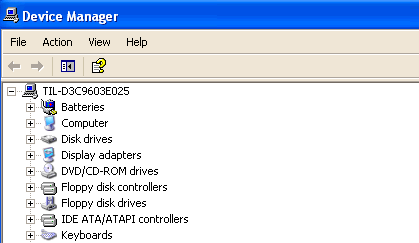
The current status of all devices in your computer appears in the device manager window.
4.
Confirm the conditions of registration.
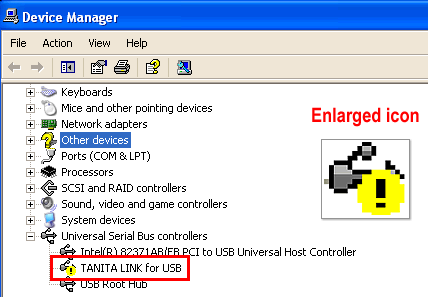
Click "+" icon of [Universal Serial Bus controllers].
Does the warning icon appear on [TANITA LINK for USB]?
If it appears, the condition should be corrected to use the Relay-Key properly.
(2) The procedure for correcting the above condition
1.
Uninstall the registration.
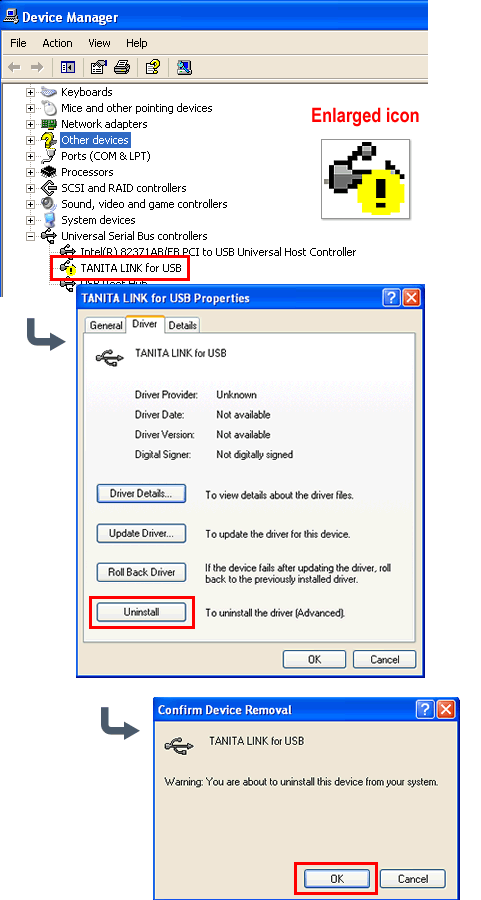
Double-click [TANITA LINK for USB] in the device manager window, and then the property window appears.
Click [Driver] tab and press [Uninstall].
The uninstallation confirmation dialog box appears. Press [OK].
2.
Confirm the uninstallation.
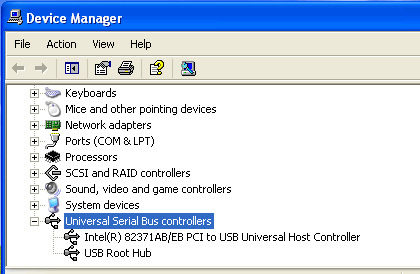
Confirm the deletion of the registration in the device manager window.
After the confirmation, disconnect the Relay-Key from the USB port.
3.
Re-install the application.
Run the downloaded "Setup.msi".
Check [Repair RelayKey] and select [Finish].
The USB driver is installed.
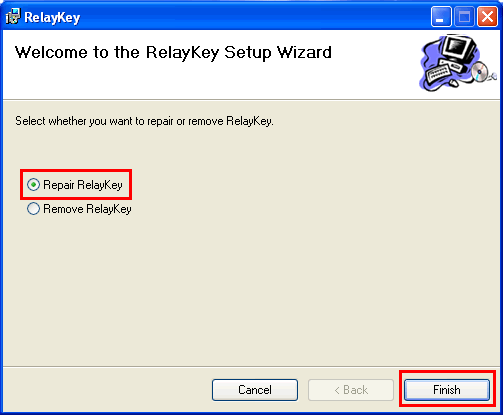
Note: Please note that you can uninstall the application with checking [Remove RelayKey], and then re-install the application. If it is uninstalled, your PC should be restarted.
(3) The final confirmation
Reconfirm the condition of Relay-Key registration in the device manager window as the above procedure.
If it could be corrected, the warning icon would not disappear.
Note: The window of the special application or the member's page login screen might be displayed when you connect the Relay-Key to your PC. Please do the other procedure after confirming the above condition of registration. Now the Relay-Key can be used properly.